The guest calls
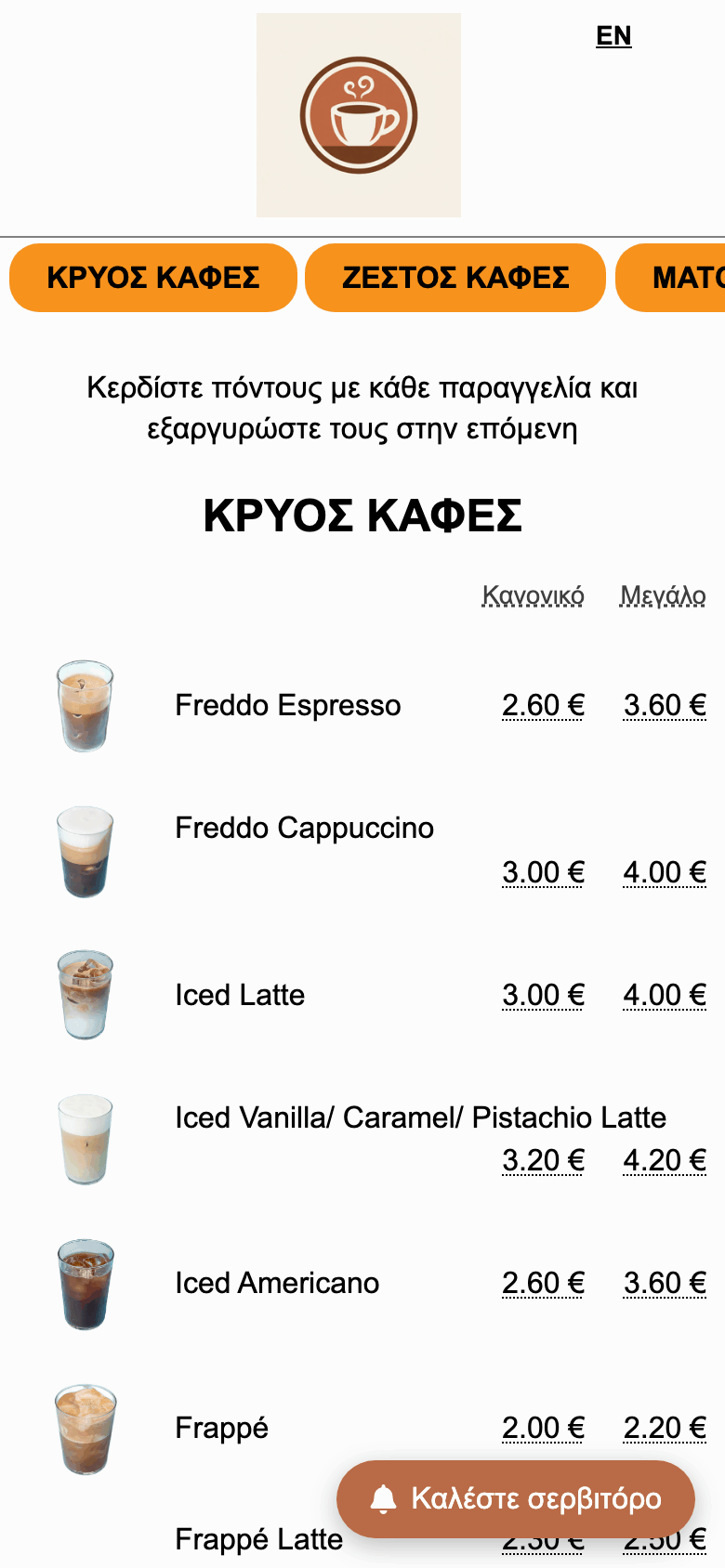
At the bottom of the menu they always find the “Call the waiter” button. They tap it to ask someone to come to their table and enter only the table or room number.
Your guests no longer have to catch a waiter's eye. They tap a button in the menu and staff are notified instantly. With notifications enabled, an alert reaches their phone even when the page is closed.
The service has three roles: the guest calls, staff serve, and you configure everything. This is the journey of a request, from start to finish.
At the bottom of the menu they always find the “Call the waiter” button. They tap it to ask someone to come to their table and enter only the table or room number.
The request appears on the staff screen within seconds and, with notifications enabled, their phone rings — even when the page is closed.
You enable the service, choose how staff are notified, and see every request from your account.
The button appears automatically on the menu page as soon as you enable the service and at least one staff member is on shift. It is fixed at the bottom of the screen, so it is never out of the guest's sight.
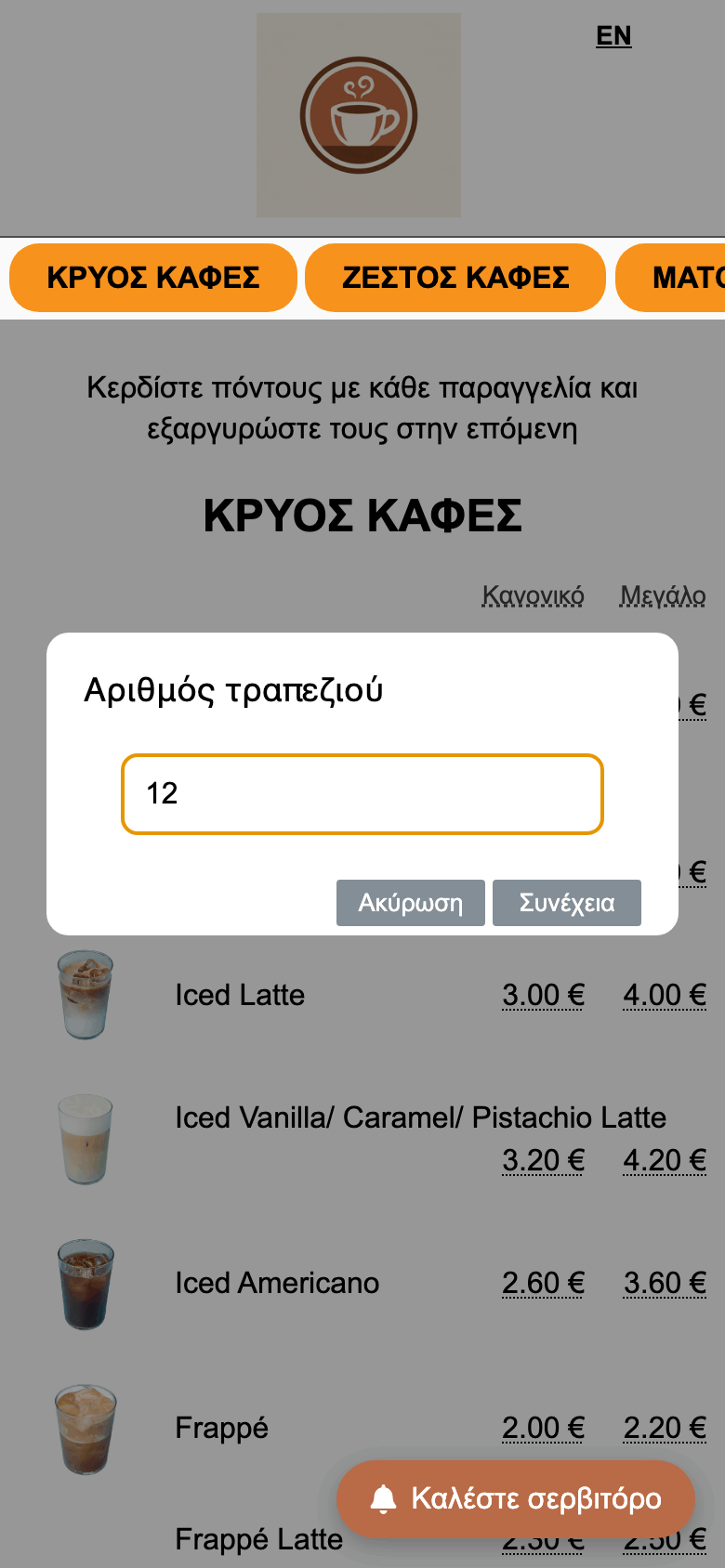
One tap opens a simple window that asks only for the table number — or room number, depending on the theme. It does not ask for a name, phone or comment: the fewer the steps, the more likely the guest is to use it.
If nobody is on shift, the button hides automatically so requests do not go nowhere. As soon as someone becomes available, it appears again.
Staff need no account or password. They scan the QR code on the settings page with their phone, enter their name and enable notifications. From then on they see every request for the shift on one screen, and an alert reaches their phone even when the page is closed.
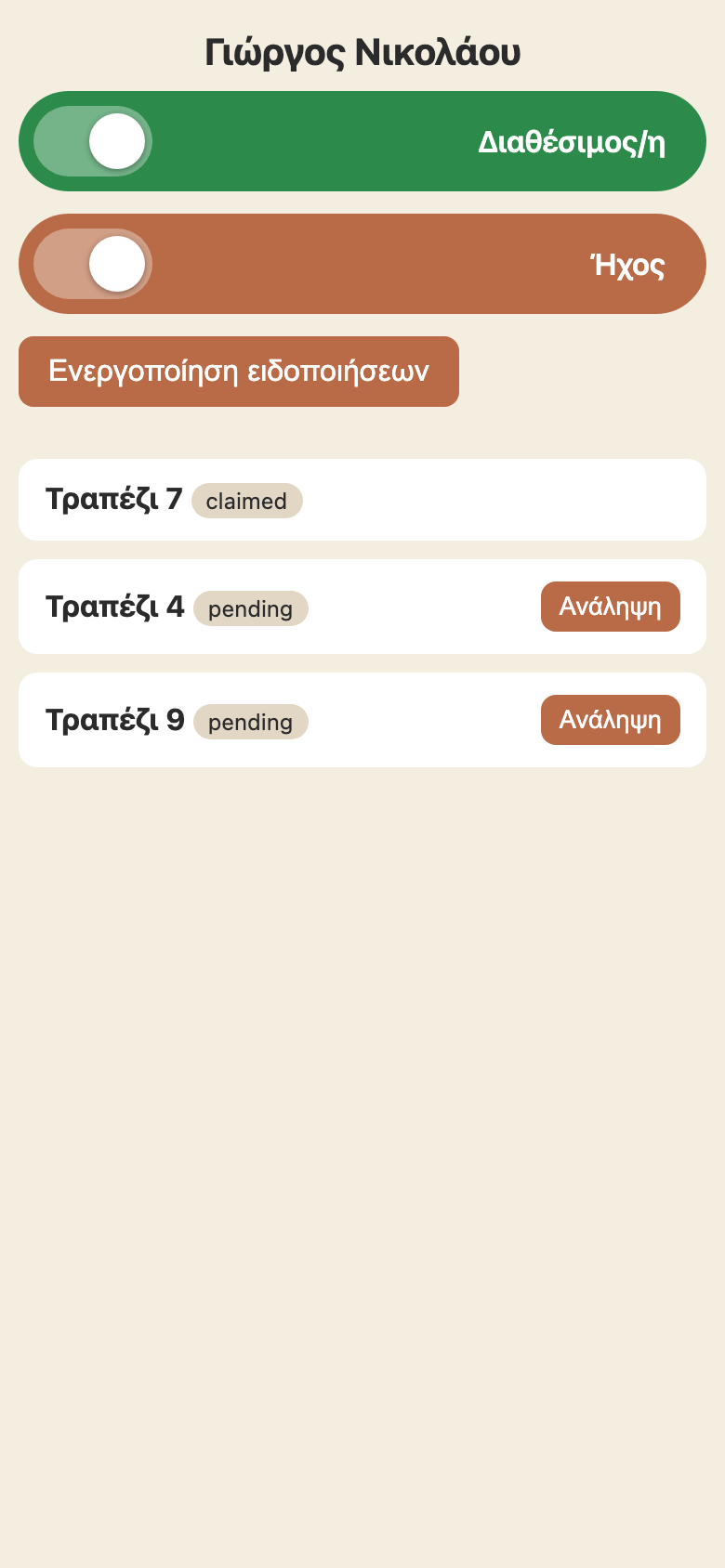
With notifications enabled, staff are alerted even when they have closed the page. On iPhone a small setup is needed first — see below.
On iPhone, push notifications for websites work only when the page has been added to the Home Screen (iOS 16.4 or later). You set this up once and afterwards staff receive alerts even when the page is closed.
Without adding it to the Home Screen, iPhone does not show push notifications and requests are visible only while the page is open.
The service is optional and starts disabled. From the “Call the waiter” page in your account:

In the staff list you see the name, whether they are active or inactive, their last activity, how many requests they have taken and whether their notifications work. At the end of the shift you can deactivate or remove someone, so they immediately lose access.

Everyone: all staff are notified and whoever taps “Claim” first takes the request. One at a time: the request goes in turn to one member, who can claim it or pass it to the next. Ideal for sharing the work fairly.
One choice changes all the wording: “waiter” and “table” for a restaurant, “room service” and “room number” for a hotel.
Staff join the shift by scanning a QR code — no installs or passwords. “Rotate QR” invalidates the old codes, for example when someone leaves.
Everything works in the phone browser. No installation or phone line is needed — and with notifications enabled, requests arrive even when the page is closed.
Every request is recorded with the time, table and the staff member who handled it. So you can see at any moment what happened and how quickly the team responded.
Requests are validated and rate-limited, so nobody can press the button dozens of times. The guest can always cancel their own request.
No. Staff join the shift from the page opened by the QR code, in their phone browser. On iPhone, to receive alerts they need to add the page to the Home Screen — see the instructions above.
No. The button is inside the menu page and works on any modern phone.
If they have enabled notifications, they receive a push even when the page is closed (on iPhone, after adding it to the Home Screen). If they have not, requests appear as soon as they reopen the page.
Yes. With the “Hotel” theme the service talks about room service and room number instead of a table.
From the staff list you can set them temporarily off shift or remove them completely. So they cannot rejoin with an old QR code, tap “Rotate QR”.
“Call the waiter” is included in the Menumou Full and Menumou Photos plans. Contact us to enable it on your menu.
Tell us a little about your business and we will help you set up “Call the waiter” — from the button in the menu to the staff QR code.
Contact us See the plans